Selling article combinations
What are article combinations?
Article combinations let you sell several articles together under one price — perfect for menus, campaigns, or special deals. They can either give customers a choice, or come as a fixed package.
Menu combinations
Use menu combinations when guests can choose between options. Example: a Sausage Menu where the customer selects one sausage and one drink.
- Add menu groups (e.g., “Sausage” and “Drink”).
- Define which articles are available in each group.
- The total price is set by the combination, not by the individual articles.
Package combinations
Use package combinations when the menu is fixed. Example: a Bacon Burger Menu that always includes one bacon burger and one Coke, with no customer choices.
- All articles in the package are automatically added in the system and shown in the kitchen.
- On the guest receipt, only the combination name and total price per VAT rate are displayed.
- Commonly used for deals like conference packages or set menus.
How to sell article combinations in POS
- Sign in to the cash register.
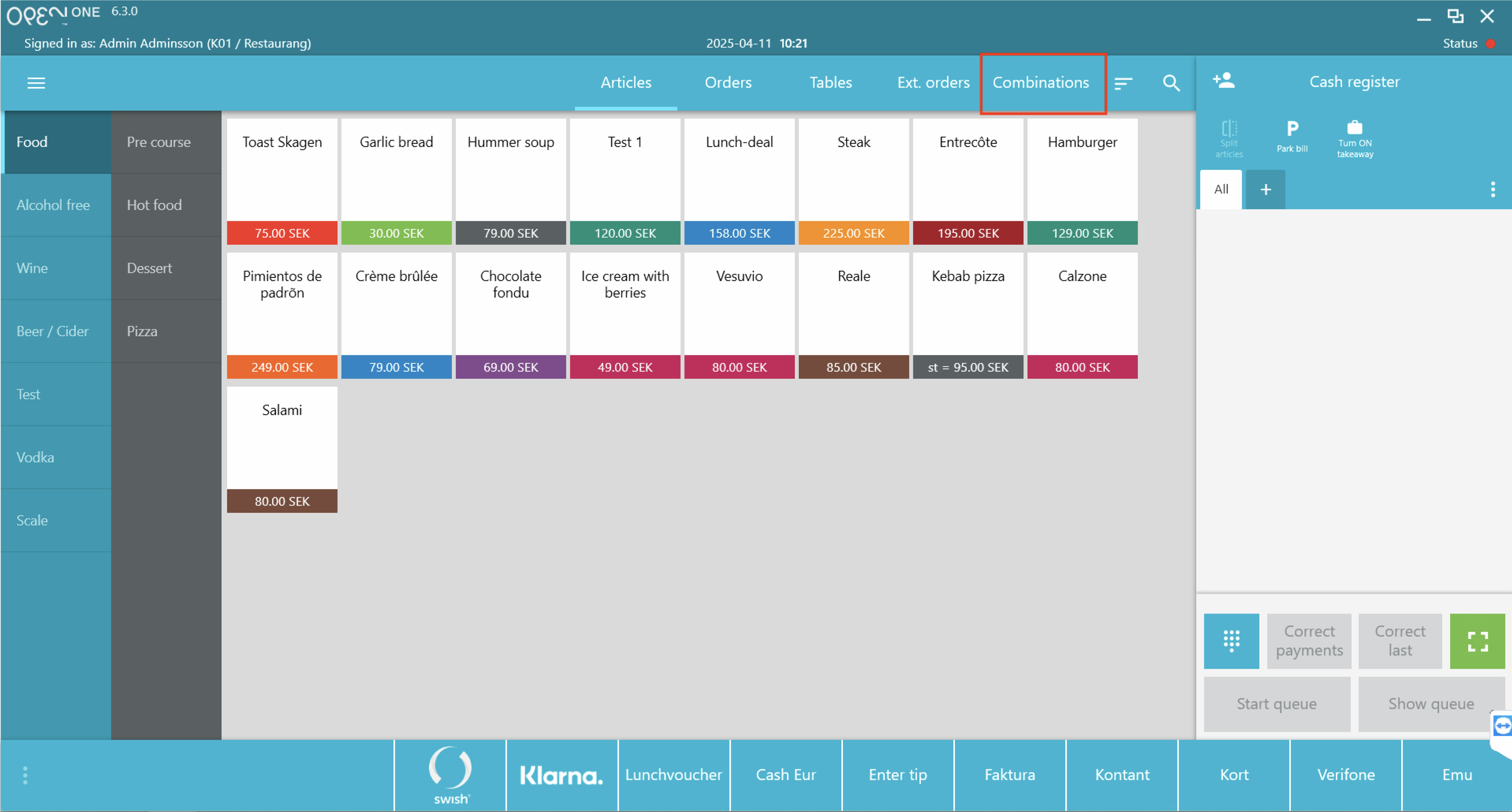
- Go to the Combinations tab in the POS top menu.
- Select the combination.
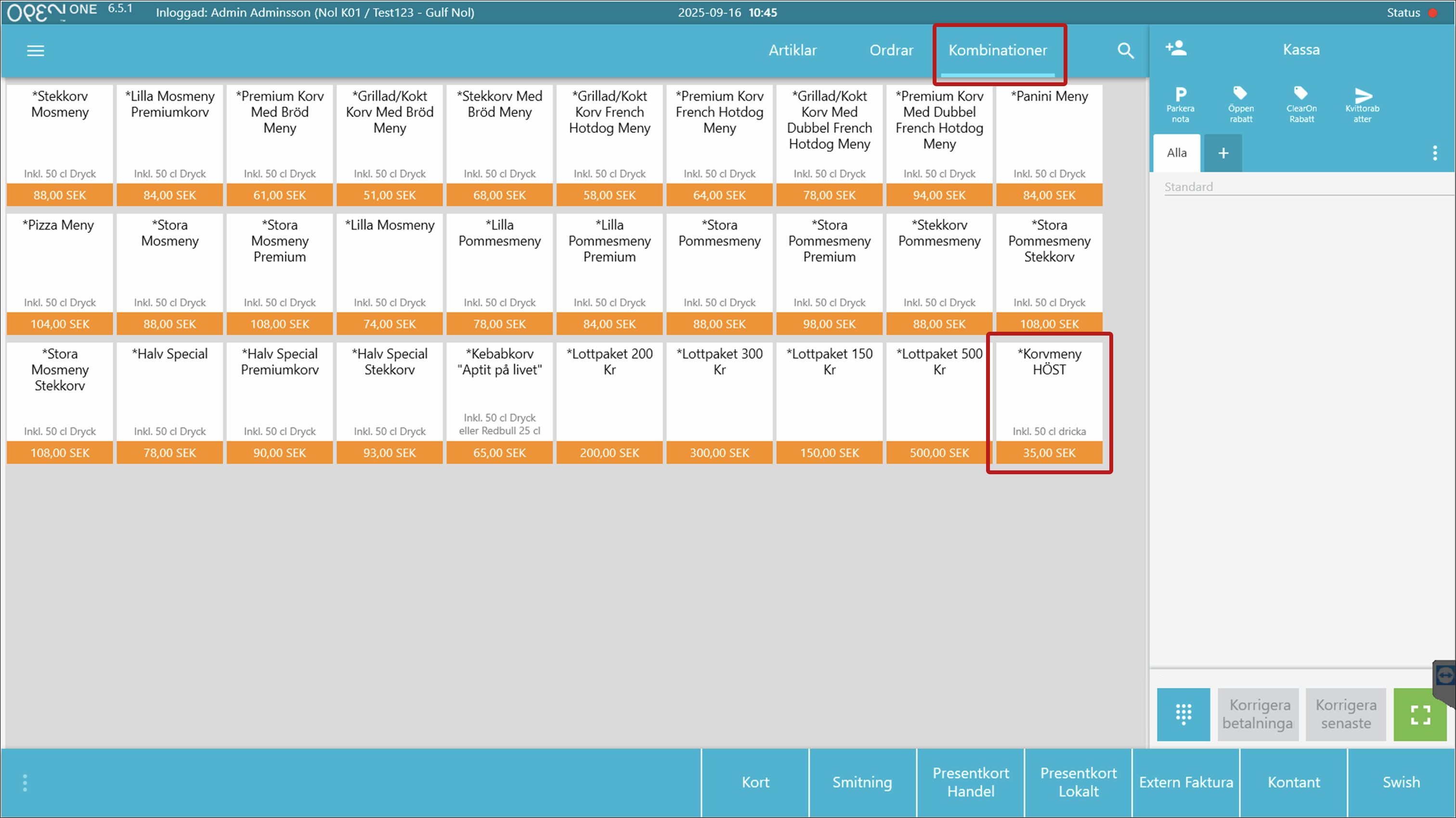
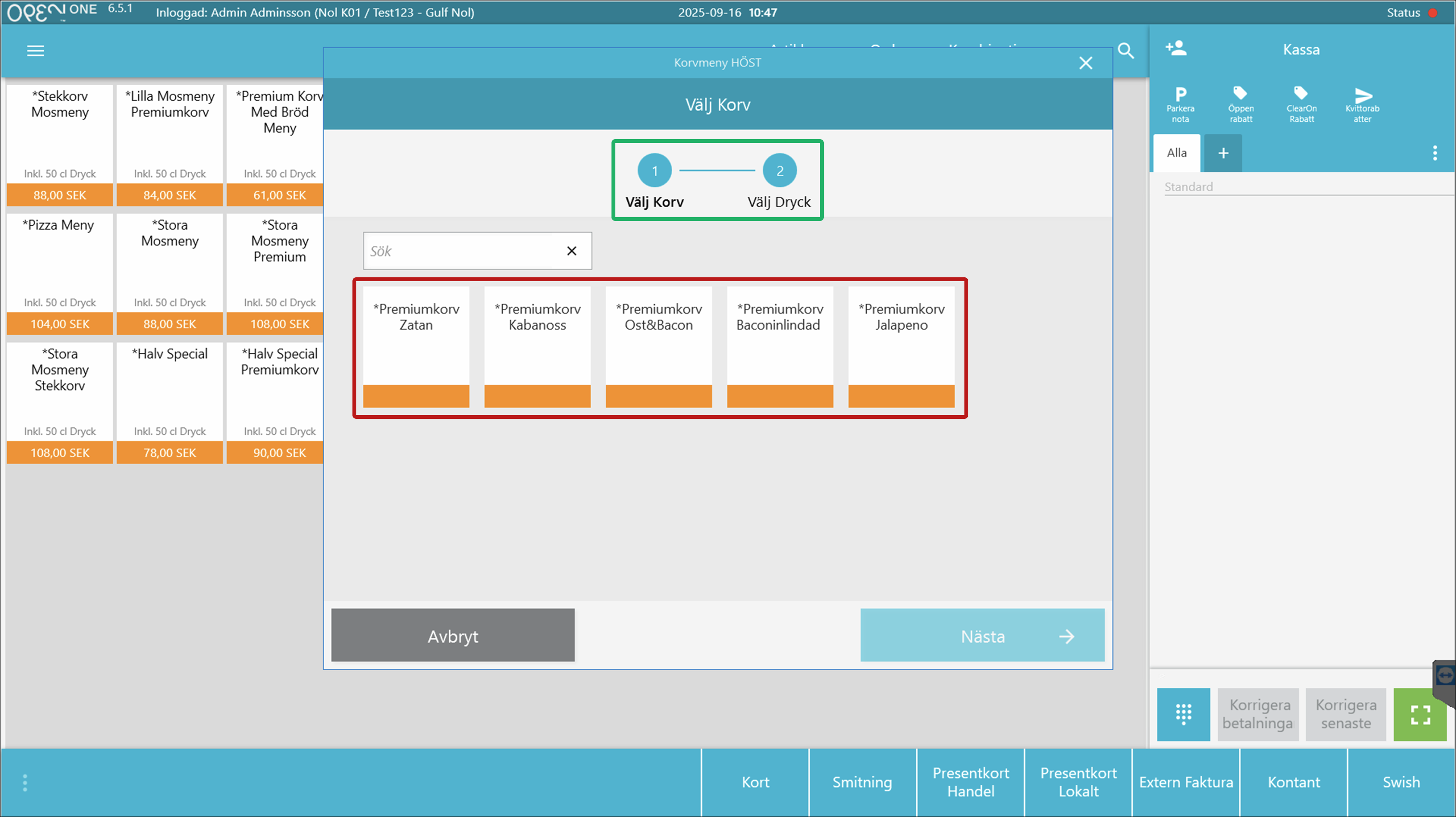
- For menu combinations: A pop-up will appear with steps (highlighted in green).
- Choose an article from the first menu group, and you will be taken to the next step.
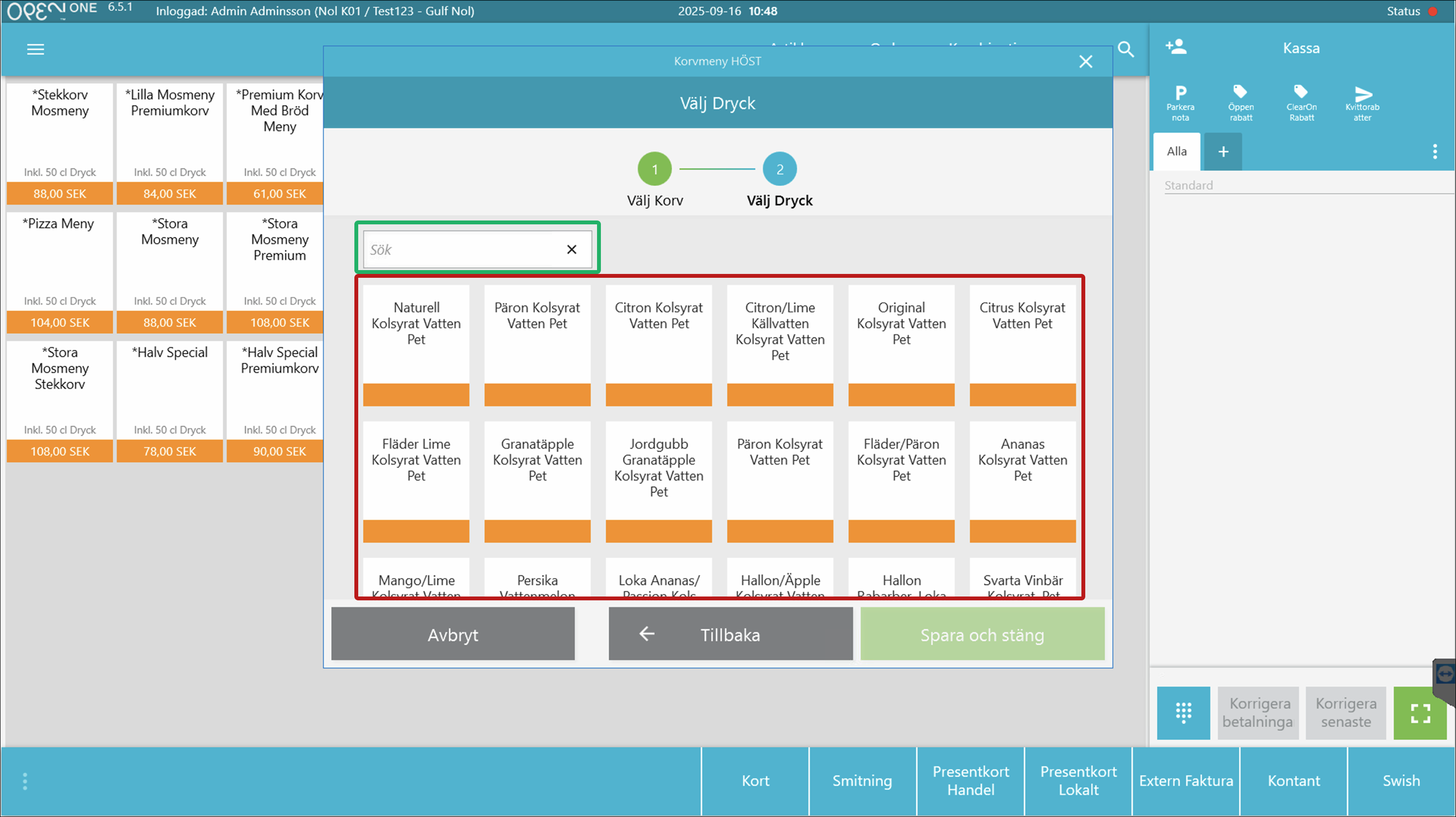
- Choose an article from the next menu group, or use the search bar to easier find a specific drink for example (usable when there are many article options).
- When all choices are made, the combination is added to the cart.
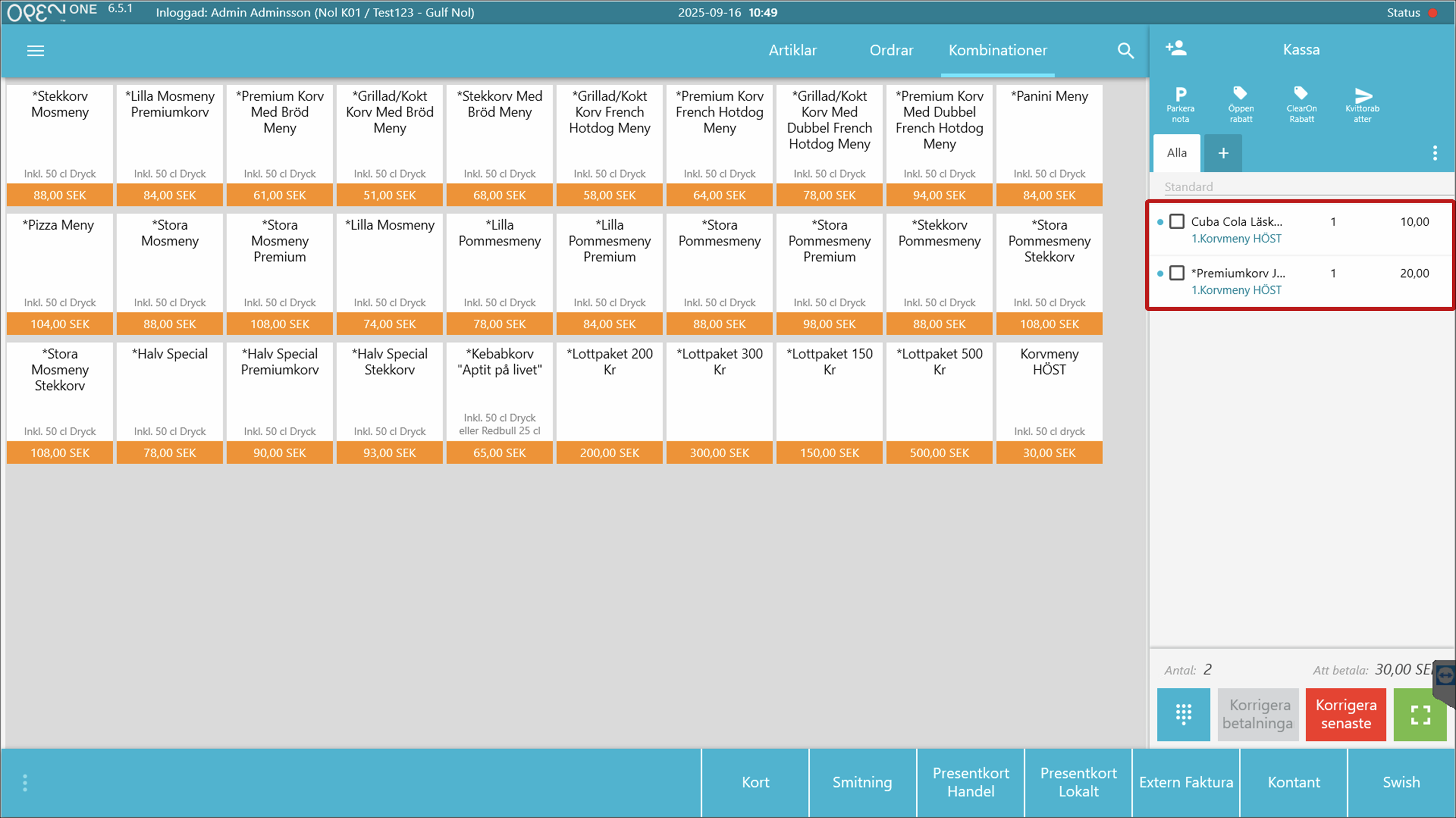
- Choose an article from the first menu group, and you will be taken to the next step.
- For package combinations: The preselected articles are added to the cart immediately.
- For menu combinations: A pop-up will appear with steps (highlighted in green).


