Caspeco integration guide
Connect OPEN Two with Caspeco to unlock powerful insights and smarter operations. This integration syncs your sales data directly with Caspeco’s platform, enabling real-time analysis of labor costs, optimized staff scheduling, and streamlined payroll.
How to activate the integration
To activate the integration, please contact your sales representative at OPEN. They will assist you in activating and configuring the integration according to your needs.
How to deactivate the integration
Select Company from the menu and go to the Integrations page.
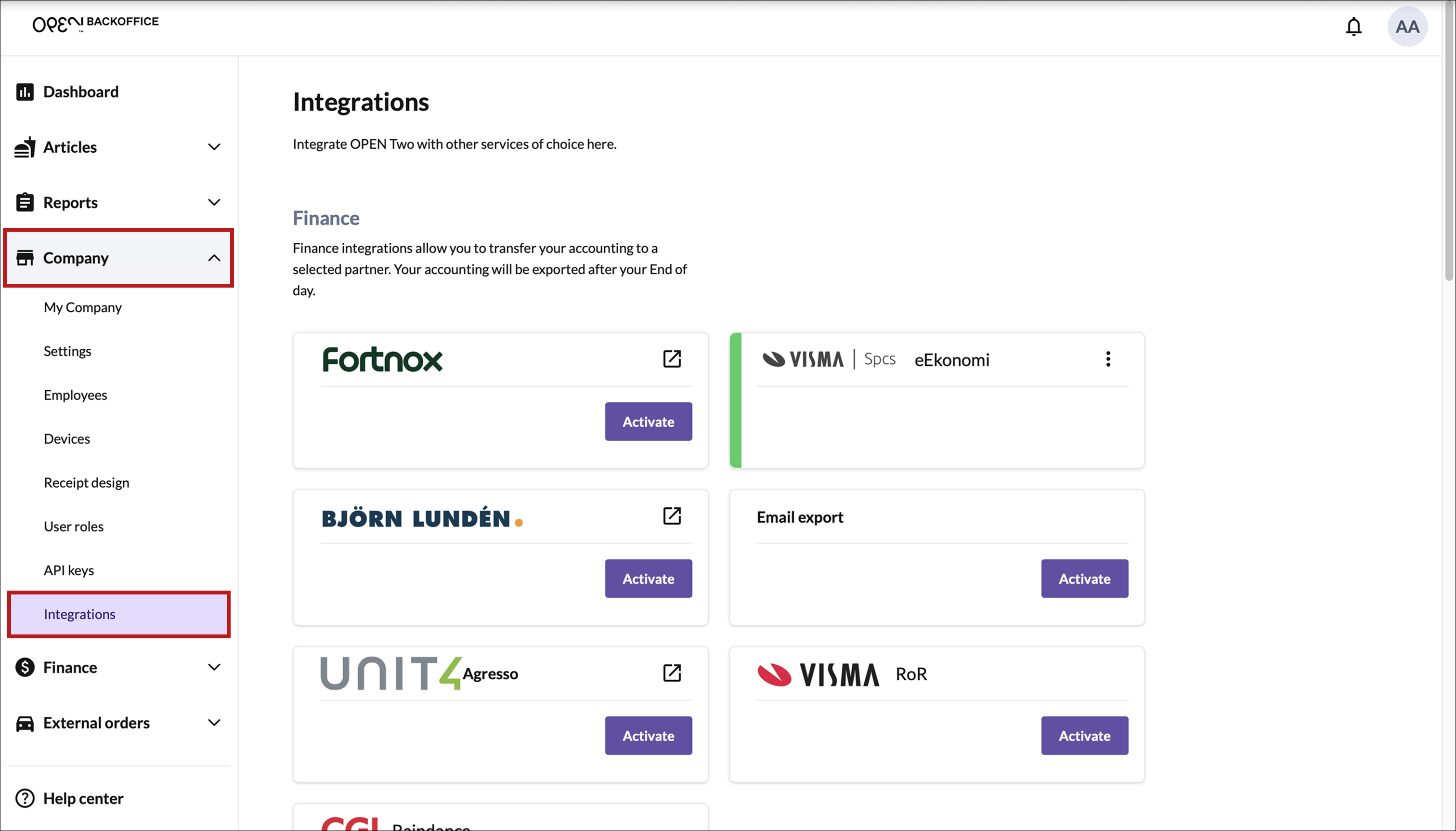
Scroll down to the Employee Management section.
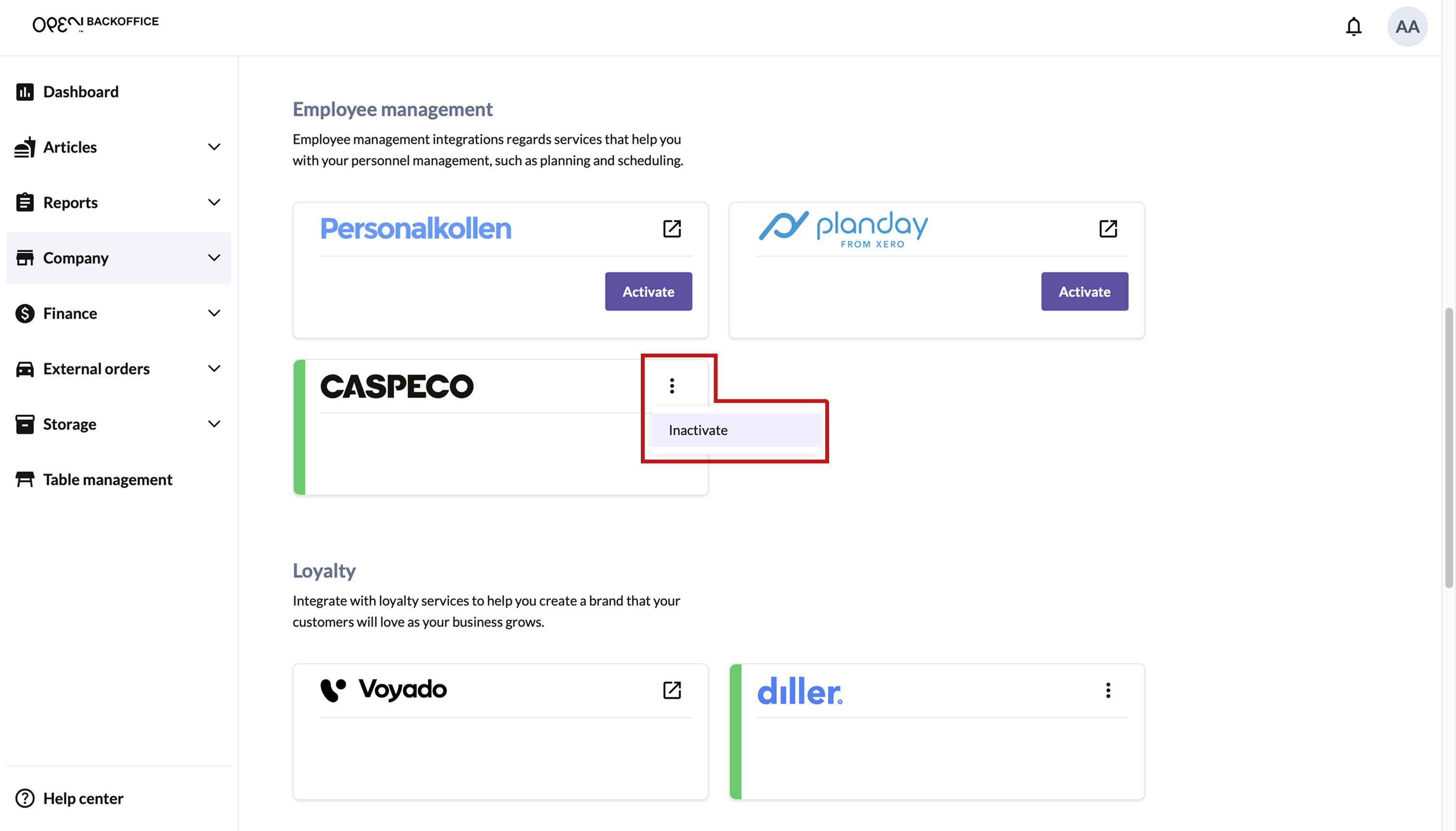
Press 3 dot menu on the Caspoeco card and select Inactivate.
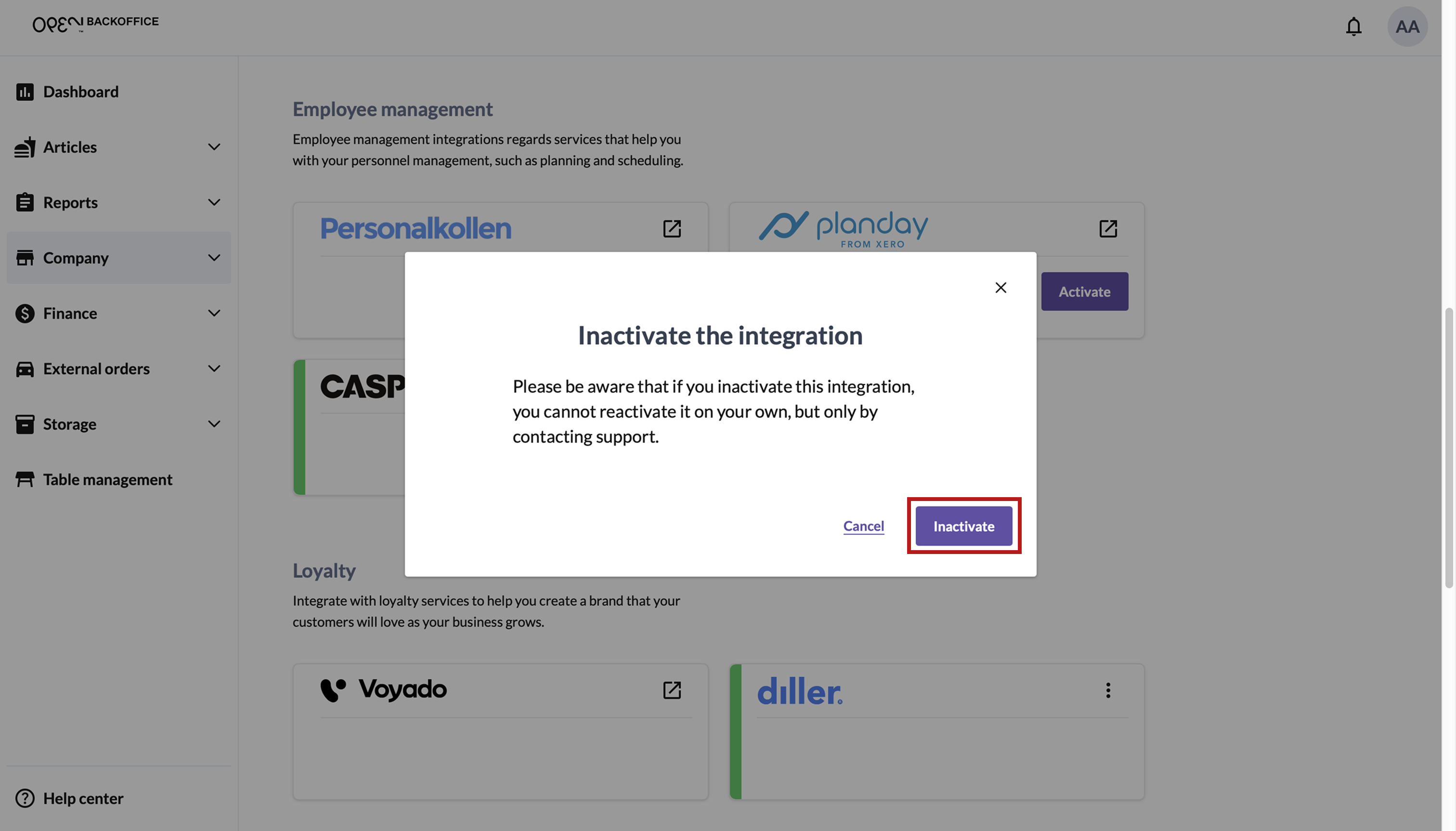
In the dialog that opens, confirm that you want to deactivate the integration.