Tipping settings
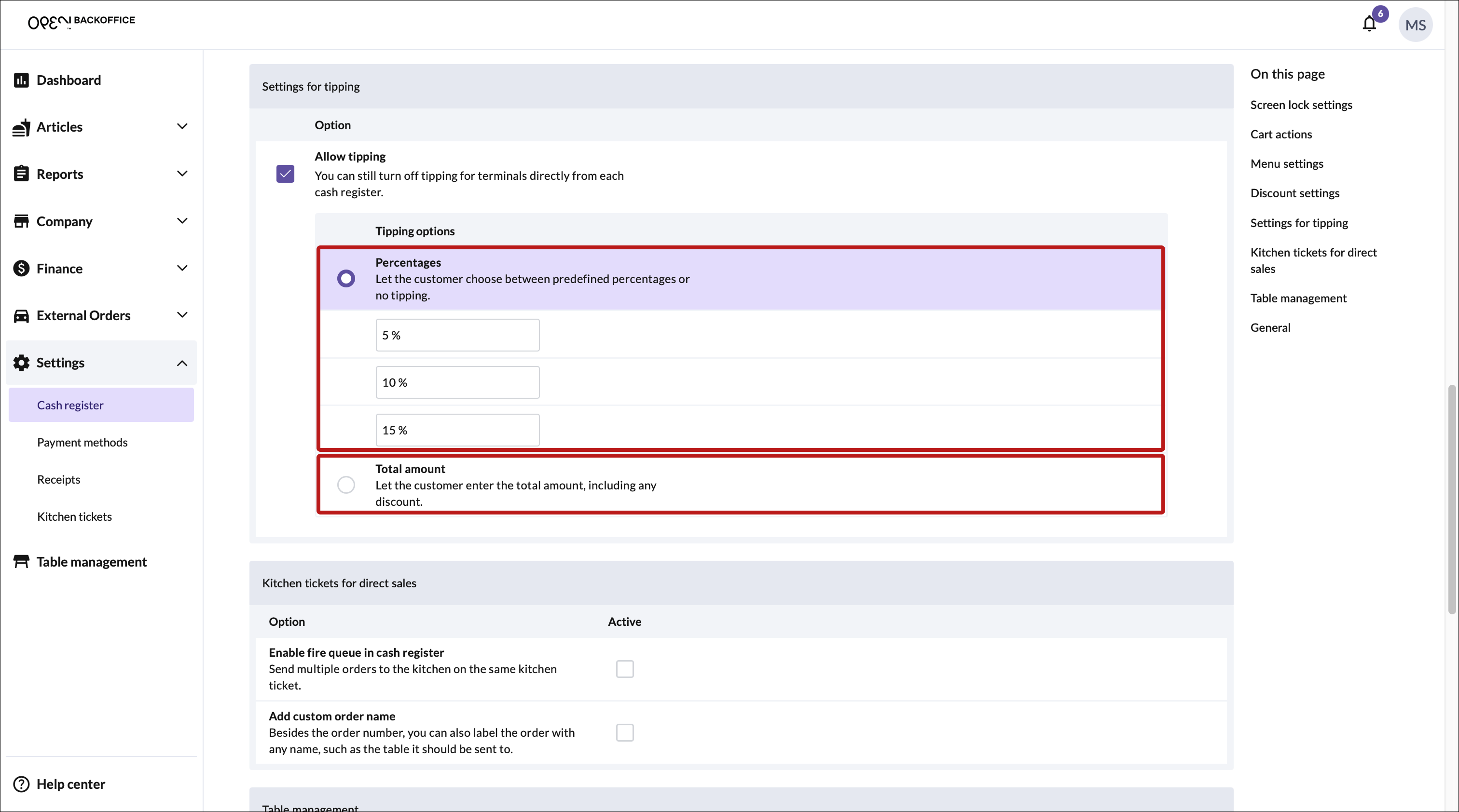
Tipping behavior is managed in BackOffice, which serves as the overall company setting. You can choose from the following options:
- Percentage: The customer can choose from predefince tipping options, such as 5, 10 or 15%.
- Total amount: – Customers enter a total amount, including any tip.
- No tipping: – Disables tipping entirely.
🚨 Important: If tipping is disabled in BackOffice ("No tipping" is selected), cash registers cannot enable tipping for individual payment terminals.
Setting up individual tipping per payment terminal
If tipping is enabled in BackOffice ('Percentage' or 'Total amount' is selected), you can configure tipping separately for each payment terminal. This means:
- A payment terminal can prompt for tipping when a transaction is initiated from one cash register but not from another.
- These settings are controlled at the cash register level, but only if tipping is allowed at the company level in BackOffice.
How to Manage Tipping Settings
Set the company-wide tipping setting in BackOffice
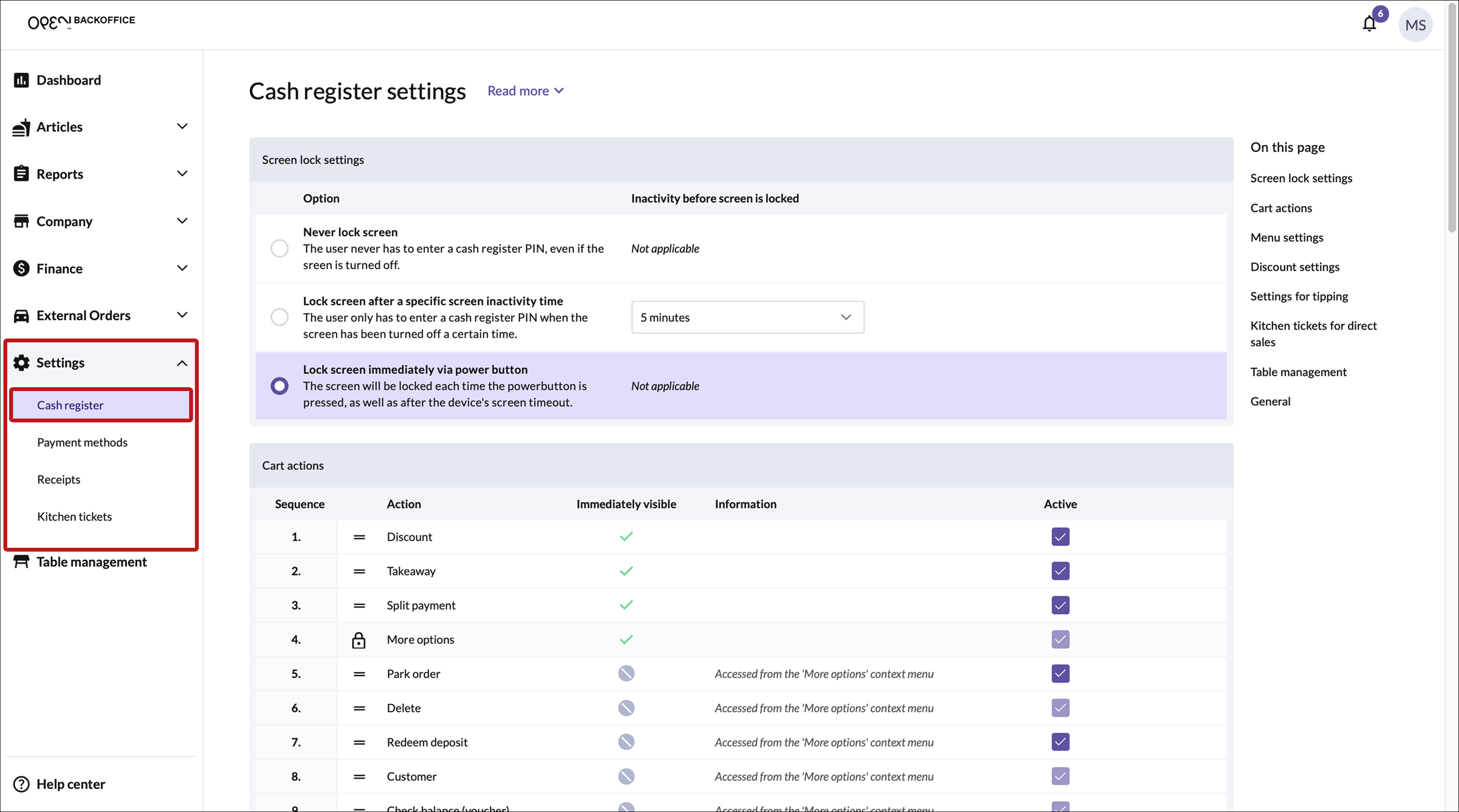
Log in to BackOffice and navigate to: Company > Settings > Cash register
Scroll down to Settings for tipping and choose:
- Allow tipping: Select 'Percentage' or 'Total amount'
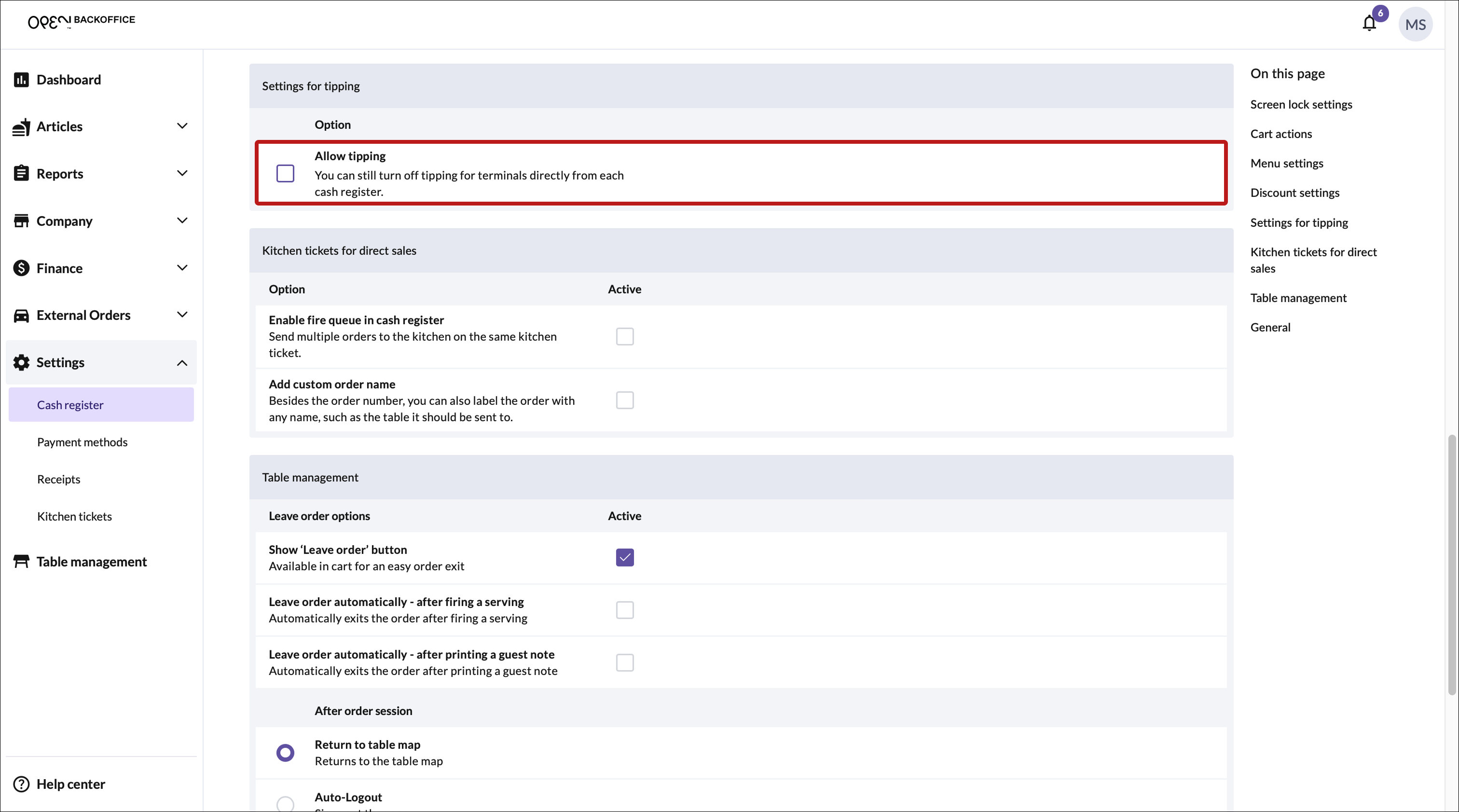
- Disable tipping: Simply leave the "Allow tipping" box unchecked.


Configure tipping for each cash register
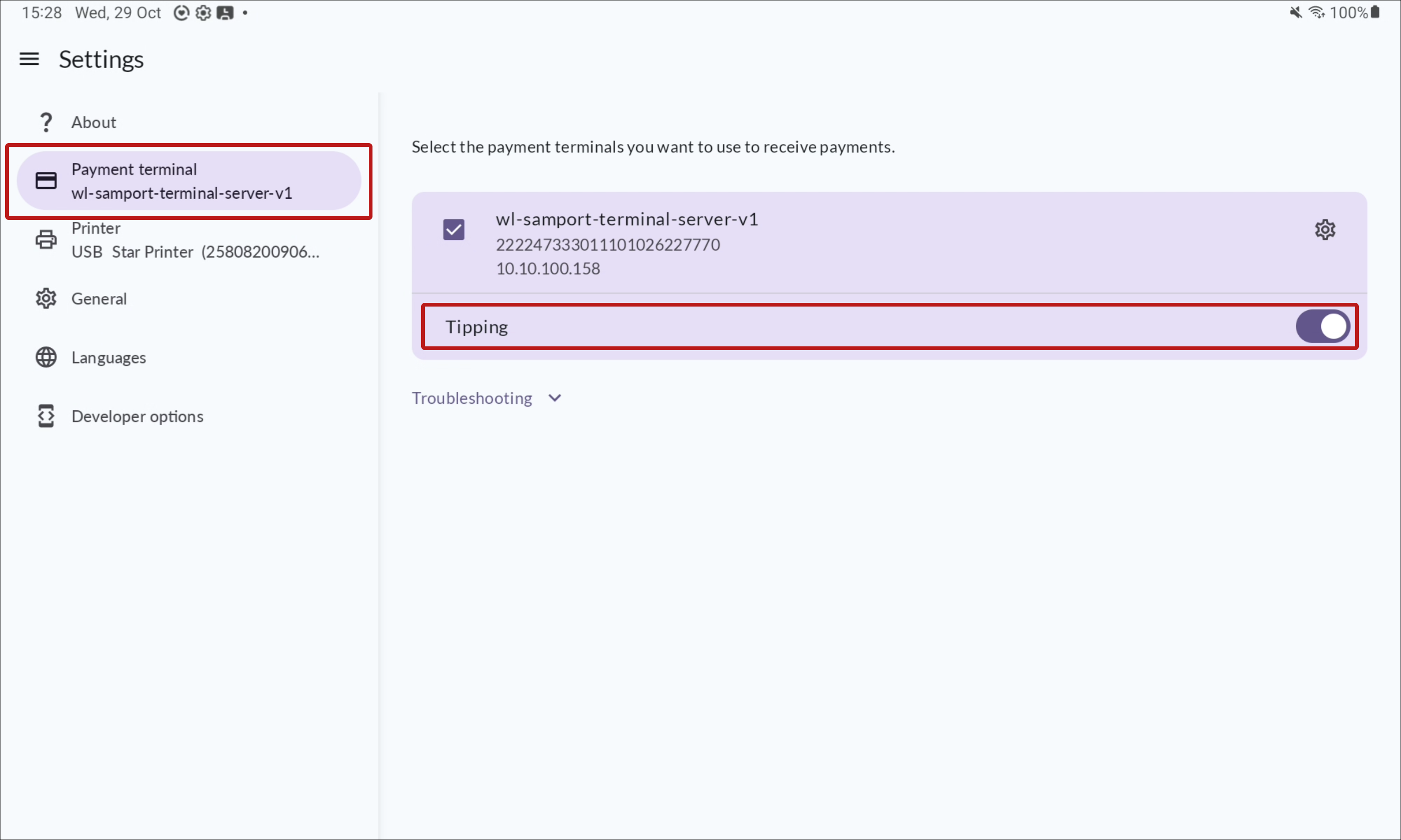
- On each cash register, go to: Settings > Payment terminal
- Enable or disable tipping for the payment terminal(s) linked to that cash register.
- Repeat this process for all cash registers as needed.
